
©2025 Uticor. All rights reserved. All Product names, trademarks and registered trademarks are the
property of their respective manufacturers or legal holders.
Uticor disclaims any proprietary interest in the marks or names of others.



CONFIGURE YOUR UTICOR TOUGHSMART MARQUEE
Choose the display size, color, communication type, and any other options from the menus below.
Your unique product code will appear automatically as you make selections.



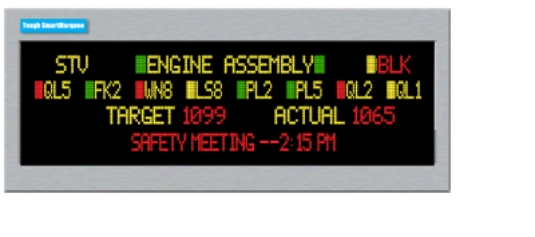
Uticor ToughSmart Marquee
The Uticor ToughSmart Marquee is a rugged industrial LED display designed for real-time communication in even the harshest environments. Its durable, shock-resistant construction ensures longevity in extreme conditions. Able to communicate to most PLC protocols, including DH+ or direct to PC. With multi-color display options, remote programmability, and easy installation, it enhances operator awareness, safety, and productivity in manufacturing and automation settings.
Message Database
Uticor's Tough SmartMarquee offers versatile
message display options, including stationary,
scrolling, and blinking modes, all controlled through
embedded codes in an ASCII string. These messages,
along with their display attributes, are securely stored
within the Tough SmartMarquee. With virtually
unlimited storage capacity, messages can also be
easily imported from or exported to an Excel
spreadsheet for seamless management.
Alarms & Alarm Database
Tough SmartMarquees offer a sophisticated Alarm
system. It allows you to monitor events (bits), and
values (registers). The values can be monitored for a
variety of conditions (=, >, <, in/out of range). These
alarms can be selectively displayed, printed and/or
logged. The alarms are also stored in a seperate
alarm database which can be imported and exported
to an Excel spread sheet.
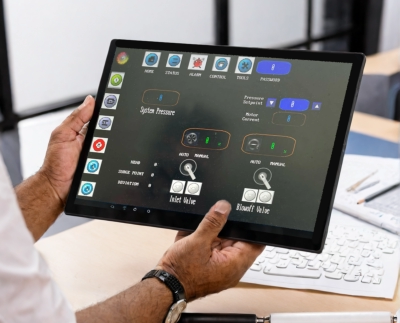
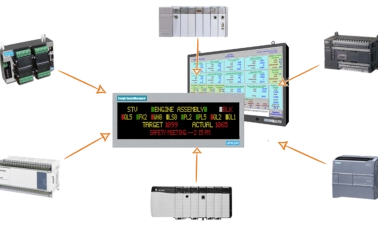
Connects to most Major PLCs and
Networks
Uticor Tough Marquees seamlessly connect with
leading industrial controllers, including Allen Bradley,
Modicon, Siemens, and Mitsubishi, as well as
communication protocols like DH+ and Profibus.
Essentially, all serial and network drivers available on
Toughpanels are also integrated into the Master
Tough SmartMarquees, ensuring broad compatibility
and efficient connectivity.
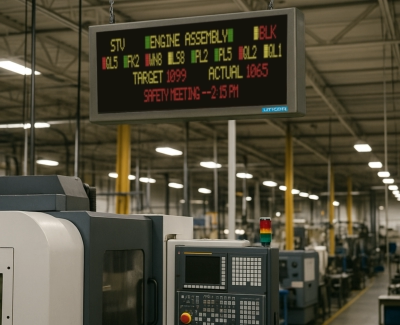
Mixed Character Heights
Unique feature allowing for mixed character heights on a single line.Multi-Language Support
Unicode feature enables objects to be displayed in multiple languages.Connectivity
Communicate over EtherNet/IP, Modbus, TCP/IP, Profibus, Modbus RTU and more.Exclusive Support for Allen
Bradley DH+
Only HMI that supports DH+ and RemoteI/O.100K+ Hour Lifetime
Long life, with uniform brightnessUser Friendly Software
Intuitive design reduces development time from days to hour.ASCII String Over Etherent
Send ASCII over ethernet using TCP/IP Protocol.Stainless Steel Design
Provides durability, corrosion resistance and easy sanitation. Ideal for harsh enviroments.Advanced Alarm Management
Features alarm history, preview protection and direct Marquee alerts.

ToughSmart Master Marquee

ToughSmart Slave Marquee
Slave ToughSmart Marquees need to have the message to be displayed communicated to the marquee. These marquees do not have mes-
sage storage capability except fot the last message sent to it. The message protocol can either be simple ASCII or PMD protocol that has
been extensively used for Uticor Marquees. ASCII or PMD selection is made by the user through a DIP switch on the back panel of the
Marquee.
Slave Tough SmartMarquees can also be ordered with Ethernet, DeviceNet, or Profibus communication interface built-in. This allows you
to connect multiple Slave Tough SmartMarquee over any of these networks and reduces hard wiring costs.
ASCII String directly from PLC
Most PLCs have the capability of generating ASCII string for e.g. Allen Bradley SLC and Micrologic series have AWT ASCII write command,
Mitsubishi FX series PLCs have RS (FNC 80) and Siemens S7 series have SMT string generator instructions.
ASCII String over Ethernet
ASCII strings can also be sent to the Slave Tough SmartMarquees over Ethernet medium using TCP/IP protocol.
PMD Input from Uticor 3100 Master Marquee or PMD External Message Controller
The Slave Tough SmartMarquees can also accept message strings in PMD protocol. This protocol has additional advantages of being able
to blink a single character or word, have a chained message, invisible message or a circular message que.
ASCII String from DeviceNet or Profibus
Slave Tough SmartMarquee models when ordered with built-in DeviceNet or Profibus interface provides DeviceNet or Profibus connectiv-
ity. This interface provides a digital, multi-drop network that can be used for communicating with DeviceNet or Profibus enabled con-
trollers and I/O devices. These slave interfaces accept ASCII strings from their respective masters. DeviceNet control system provides a
single point of connection both for configuration and support for I/O as well as explicit messaging. The Profibus communication interface
also has an autodetect feature for the baud rate of the Profibus network.
Marquee Configurations
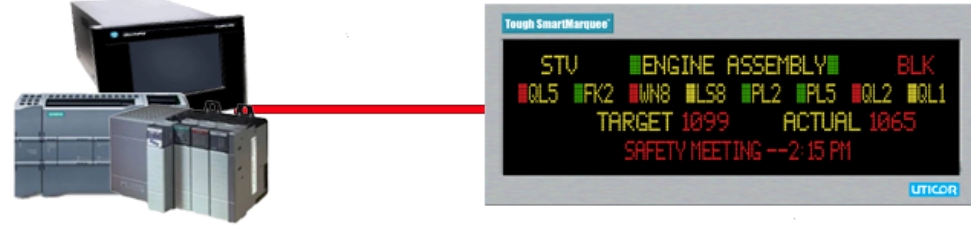
Slave Marquees DO NOT STORE message, and do not initiate communications with other intelligent devices, such as PLCs. These
Marquees display characters received on their serial port. The slave marquees are typically driven by another Master marquee, PLC, a
message controller or some other intelligent device, such as a PC
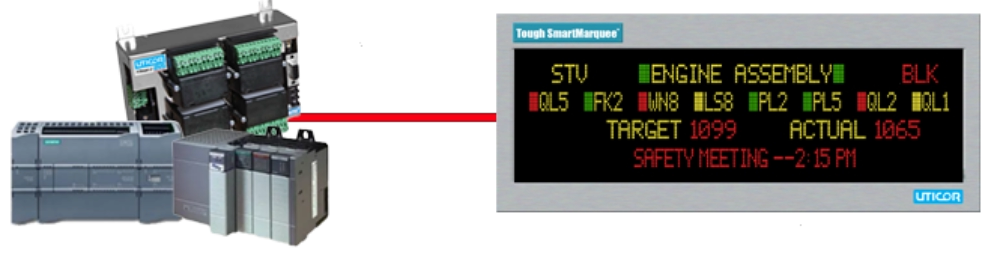
Master Tough SmartMarquees has a built-in Toughpanel HMI CPU which allows to read,
calculate, compare PLC tags and perform complex math operation, generate alarms.
Message Database
With Tough SmartMarquee, messages displayed can be Stationary, Scrolling or Blinking based on the embedded codes in an ASCII string.
These messages along with their display characteristics are stored inside the Tough SmartMarquee. The number of mesages stored are
practically unlimited. Messages can be imported from and exported to an Excel spread sheet.
Alarms & Alarm Database
Tough SmartMarquees offer a sophisticated Alarm system. It allows you to monitor events (bits), and values (registers). The values can be
monitored for a variety of conditions (=, >, <, in/out of range). The alarms can be selectively displayed, printed and/or logged. The alarms
are also stored in a seperate alarm database which can also be imported from or exported to Excel spread sheet.
Math-logic/Multi-function Buttons, Overlapping Objects
Master Tough SmartMarquees offer a sophisticated control, called the Multi-function Object. As the name implies, this Object allows you
to perform multiple functions, including Mathematical and Logical operations on PLC data. For example, you can set/reset multiple bits &
transfer constants or variables or expressions to tags. Remarkably, this Benefit allows a user to perform up to 20 operations with one
Object. Master Tough SmartMarquee also allows you to perform these Multiple functions under the PLC control a very useful feature to
offload mathematical & logical computations from the ladder logic to the Marquee.
Connects to most Major PLCs and Networks
Uticor Tough Master Marquees connect to Allen Bradley, Modicon, Siemens, Mitsubishi, DH+, Profibus, etc. Essentially all drivers serial as
well as Network that are available on Toughpanels are also incorporated into master Tough SmartMarquees.
Simple Software
Master Tough SmartMarquees are programmed using an easy, Windows based Programming software. This software contains message
import/export capabilities to other applications.
Marquee Configurations
Master Marquees STORE user-programmed messages. These marquees have PLC interfaces, and INITIATE communications with PLCs to
monitor various PLC registers. Based on PLC register values, and programmed messages, Master Marquees display messages. Master
Marquees can also drive Slave Marquees.




©2025 Uticor. All rights reserved. All Product names, trademarks and registered trademarks
are the property of their respective manufacturers or legal holders.
Uticor disclaims any proprietary interest in the marks or names of others.